Every step of your intake,
on one canvas.
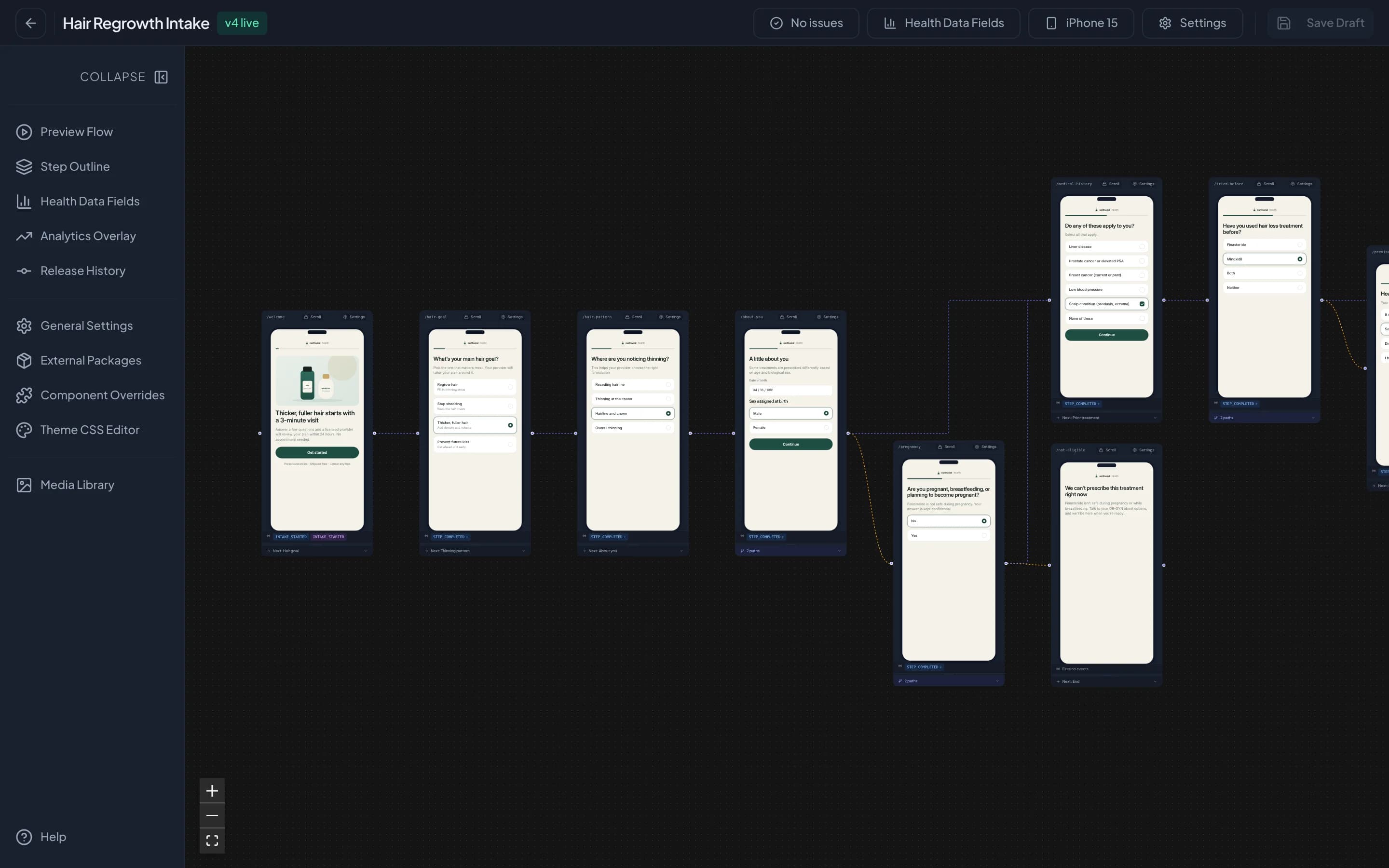
Intake is where a patient decides whether to stay
Every question, branch, and price on those screens changes who reaches a physician and who leaves. When the intake lives in code, each of those changes waits for an engineer and a deploy. Intake Builder puts the whole flow in front of the people who own it.
Send each patient down the right path
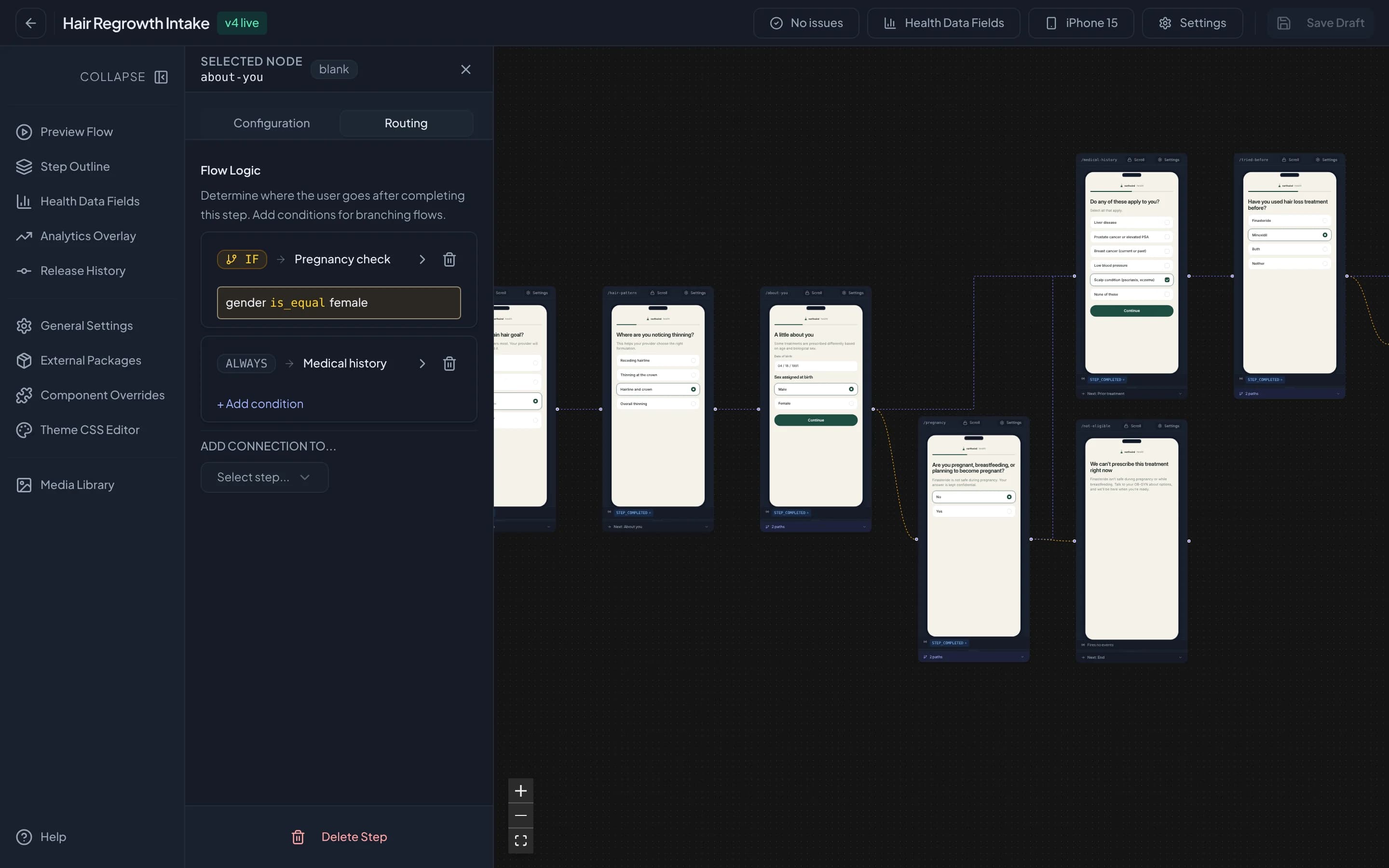
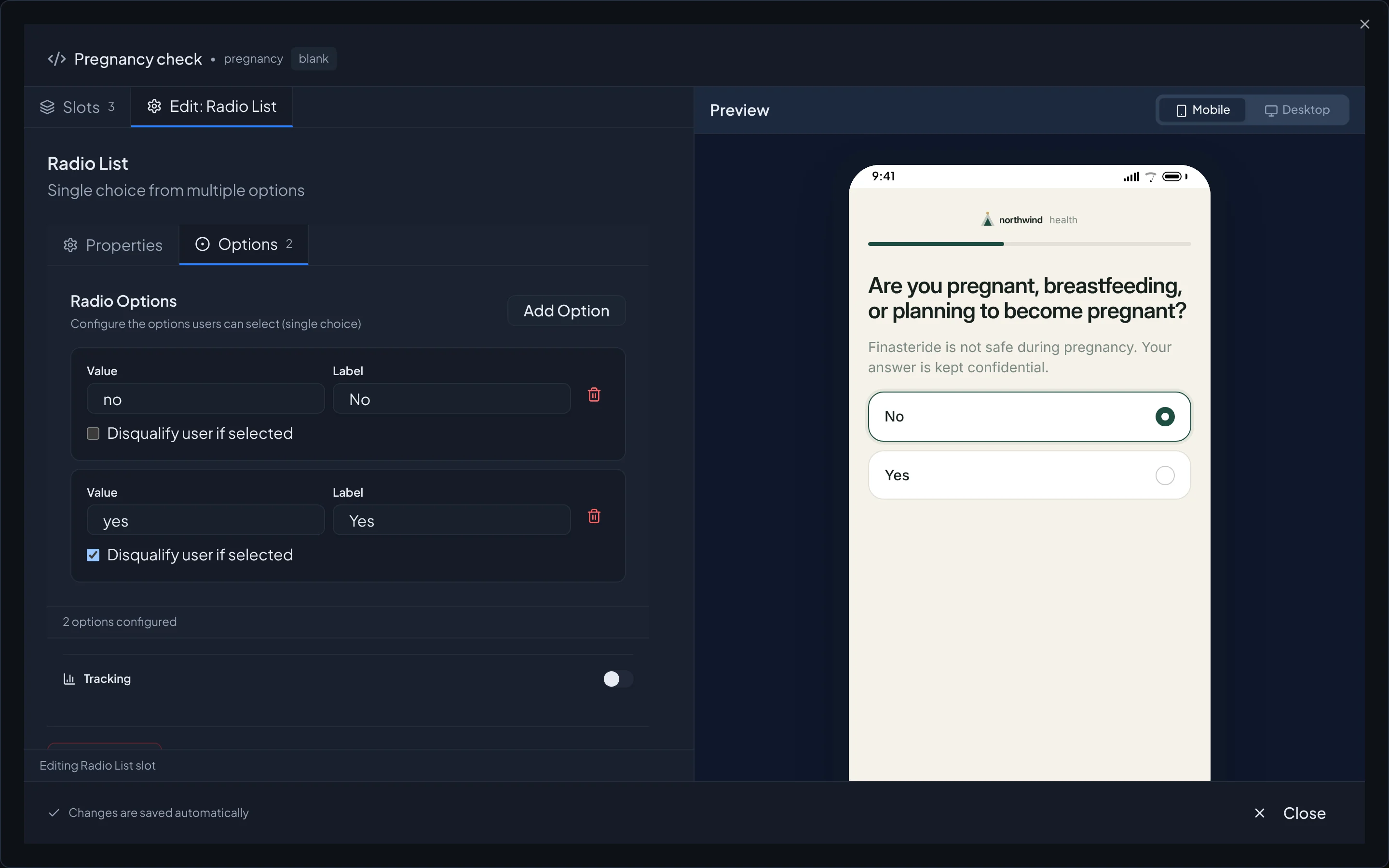
Routing rules on any step decide where a patient goes next from the answers they have already given, and the canvas draws each branch so you can follow it. An answer marked as disqualifying ends the intake with a clear explanation, before an ineligible patient reaches a physician or a checkout.
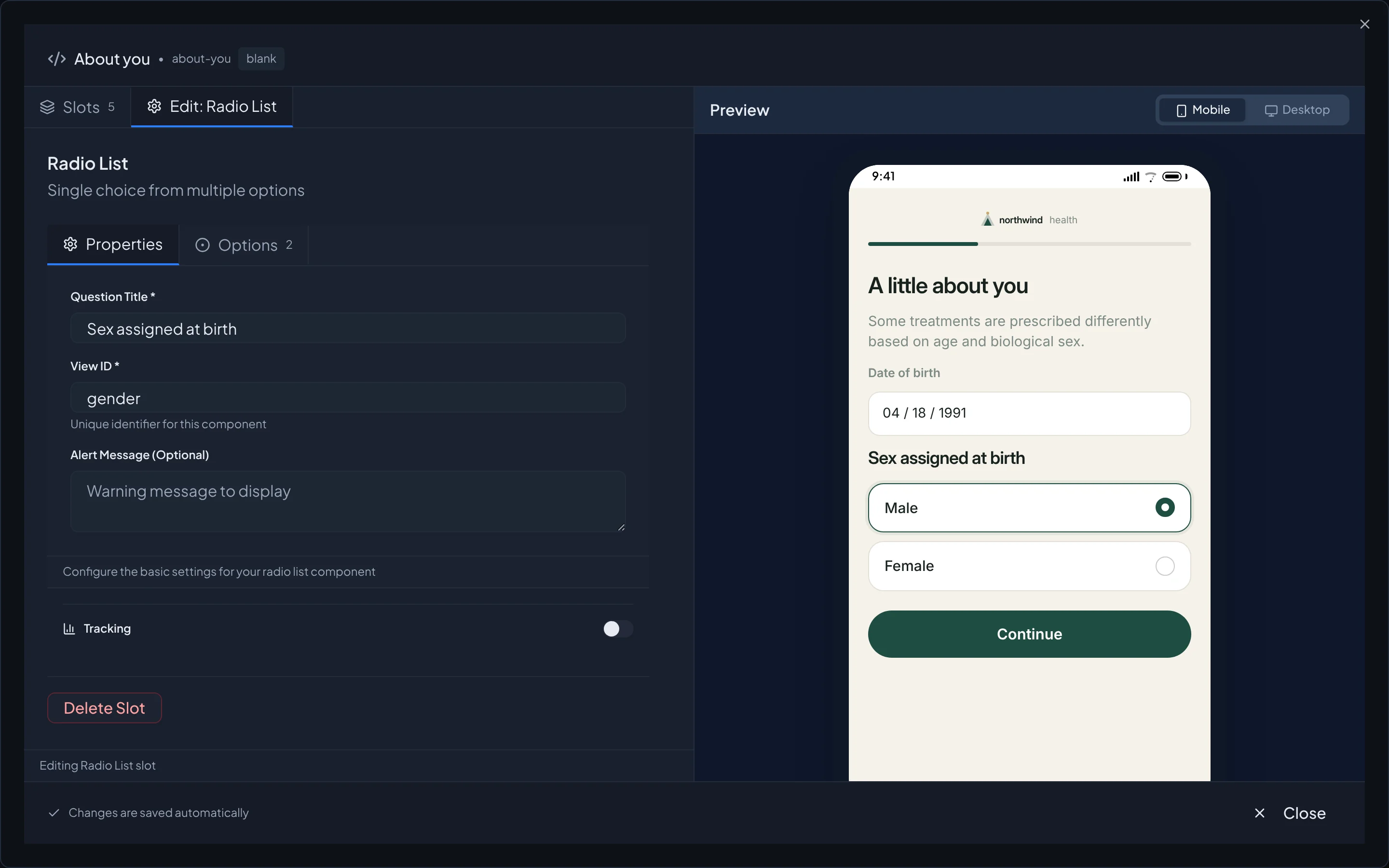
Every screen looks like your company
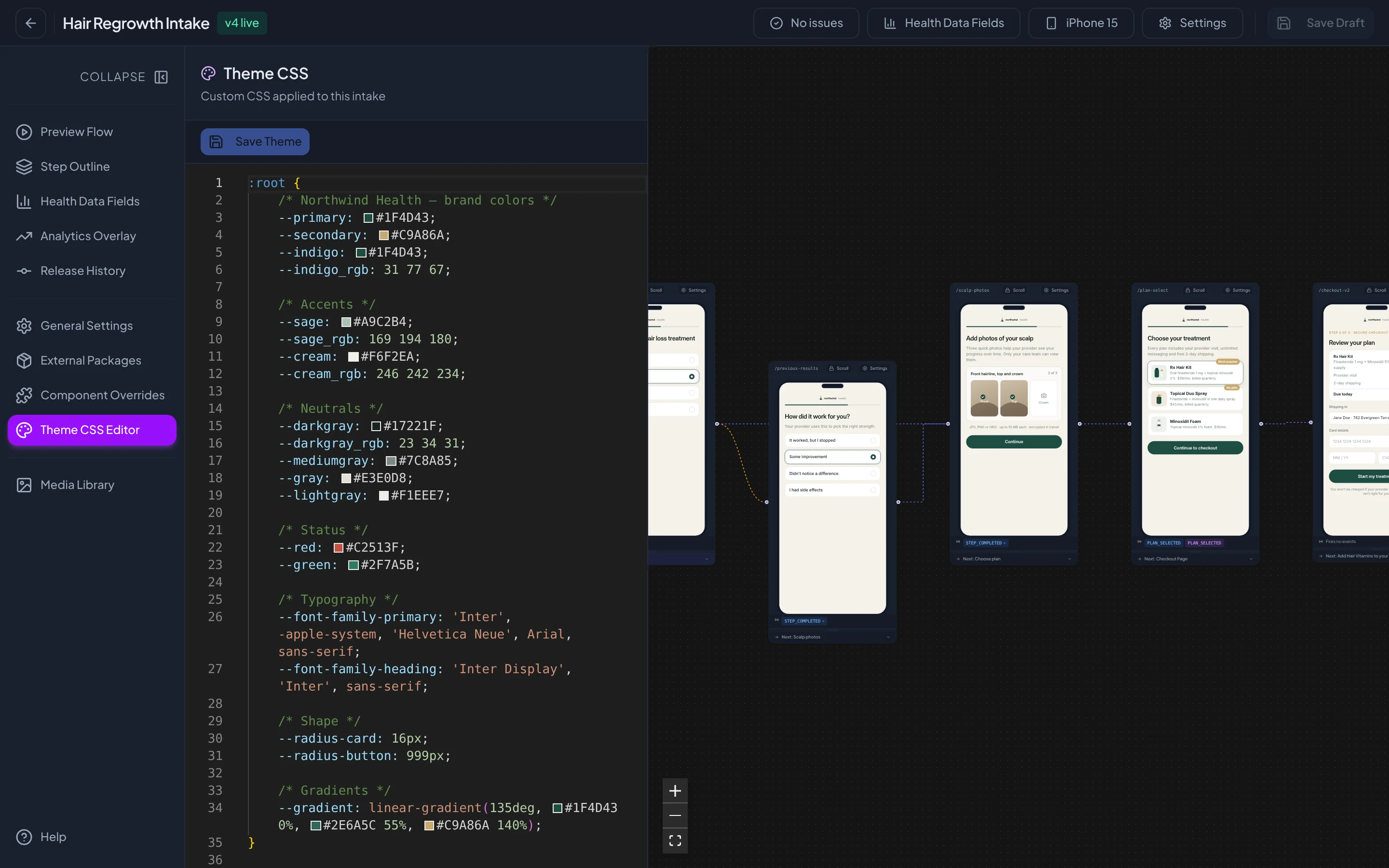
Your colors, type, and corner radius live in one set of theme tokens, and every step inherits them. While you edit a question, the phone beside it shows the screen exactly as a patient will. Patients see your brand from the first question to the receipt.
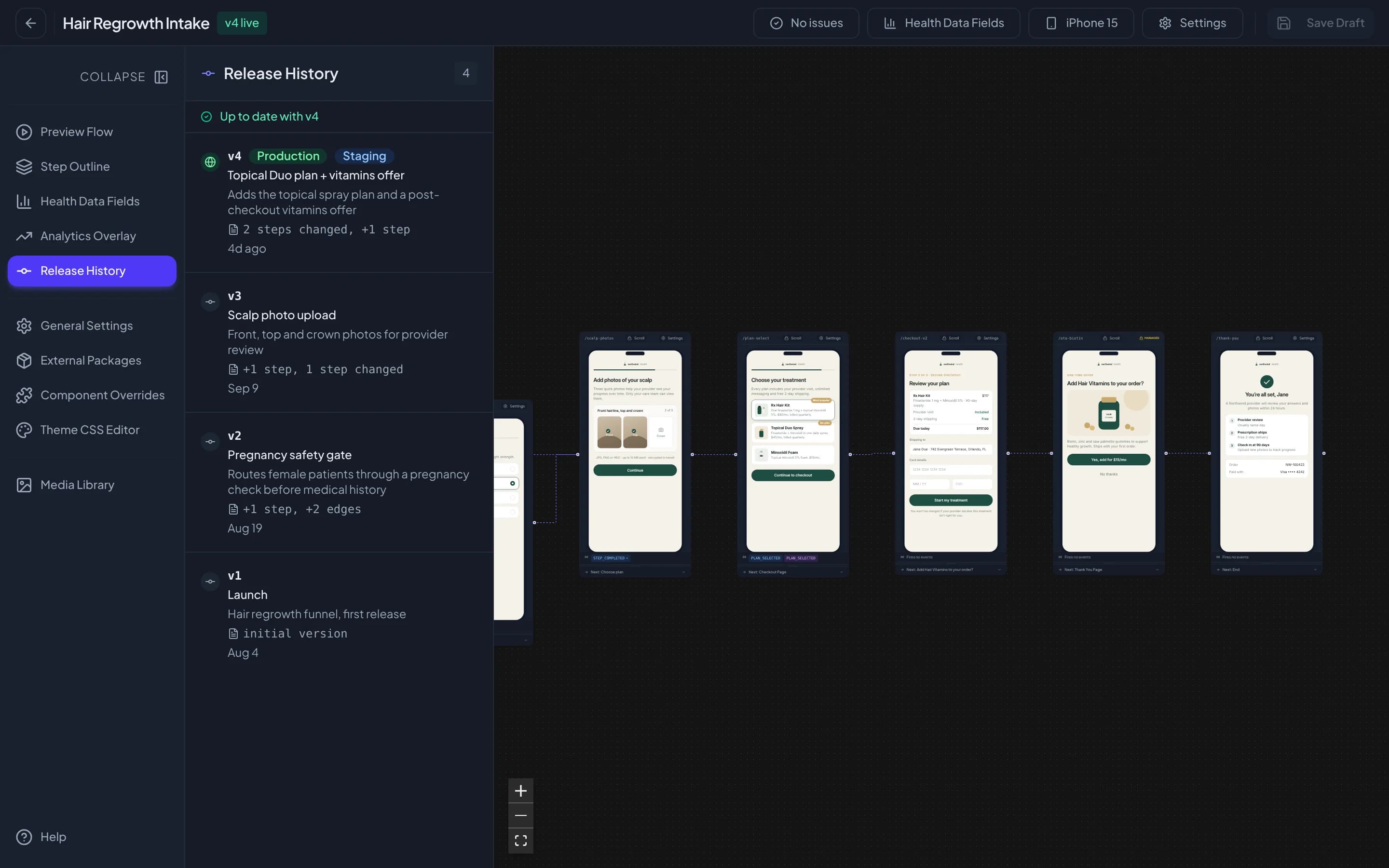
Ship changes with a version history behind them
The builder checks the flow for broken steps before you publish, and each publish becomes a numbered release with a note on what changed. You decide which release runs in staging and which runs in production. When a release falls short, you roll back to the one before it.
Everything a growth team needs to run intake
Visual flow canvas
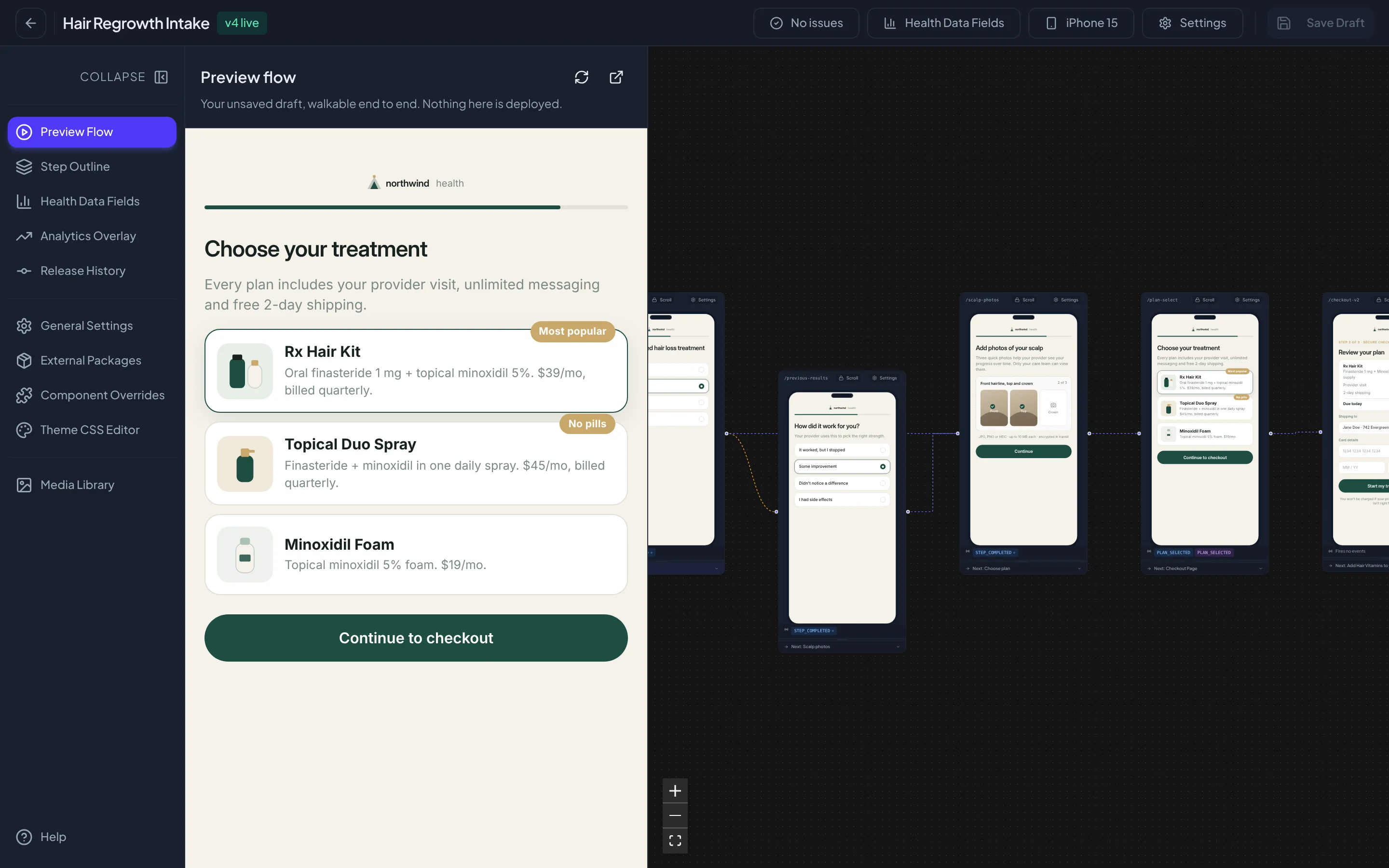
Every step of the intake sits on one canvas as the screen a patient will see, connected in the order they will see it.
Conditional routing
Rules on any step send a patient to the next screen based on what they have already answered.
Disqualification rules
Mark an answer as disqualifying and the intake stops there, before an ineligible patient reaches a physician or a payment screen.
Brand theming
Colors, type, and shape live in one set of theme tokens, so every screen matches the rest of your brand.
Live preview
Each step previews on mobile and desktop while you edit, and the whole flow can be walked end to end before it ships.
Health data mapping
Answers map to named health data fields, so the clinical team receives structured data instead of free text.
Staging and production releases
Every publish becomes a numbered release with a note on what changed, and you choose which one runs in staging and production.
Funnel analytics and experiments
An analytics overlay shows where patients drop off on the canvas itself, and A/B experiments test one version against another.
Roles, invitations, and audit log
Teammates join by invitation with the access their role allows, and every change to an intake is recorded.
See your intake on the canvas
Bring us the intake you run today and we’ll show you how it looks in Intake Builder.